
SEO Toolkit
SEO Toolkit is the all-in-one Magento 2 SEO Extension designed to make your store stand out in Google Search. Maximize your Magento SEO effectiveness: make your store more visible in search results, get more organic traffic, increase your customer flow.
- Advanced pagination + redirects
- Rich snippets in search results
- Automated meta tags templates
- Unique product URLs against duplicate content
- Automated internal and external cross links
- Advanced HTML and XML sitemaps
Challenge
The key to webstore promotion is the constantly growing target audience. But how can a store admin get traffic, if paid ads are too expensive for the store? The answer is – organic results. The higher is your position on the Google results page, the more visitors you have. Still, since Google takes into consideration each store detail, SEO optimization is a rather challenging task.
Solution
The advanced all-in-one SEO toolkit can solve multiple optimization problems at once. Implement cross-linking, rich snippets, meta tags, XML and HTML sitemaps to place your store at the top of Google ranking. Thus, you will reduce costs on paid advertising and drive more qualitative traffic with a just few-steps configuration.
INCREASE GOOGLE CRAWL RATE OF YOUR STORE
WITH SMART SEO TOOLKIT
Magento 2 SEO Plugin is designed to improve your store ranking placement in SERP by applying the most effective optimization strategies: automate Magento 2 meta tags templates for products and categories, enrich snippets with price, stock status and breadcrumbs, use unique product links, automatically build cross-links, create sitemaps and set smart redirects for a better interaction with Google.
Automate Magento SEO Settings for Your Store
- Get More Organic Users
- Grow Store Indexation
- Reduce Manual Work
- Improve Store Ranking
- Increase Store Traffic
- Boost Sales Revenue
MAKE ‘ONE-CLICK SEO ANALYSIS’ FOR ANY PAGE
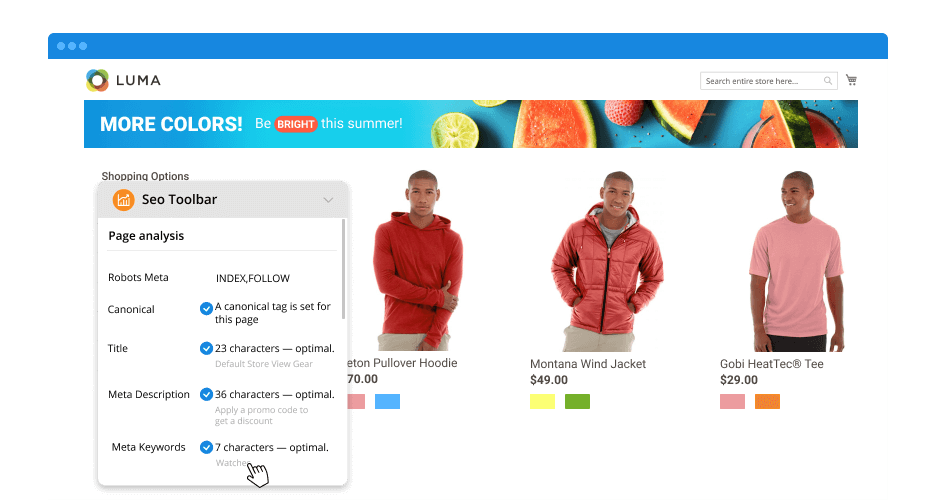
With the extension, you can easily check the relevant analytical data on your store page SEO performance. Click the ‘SEO Toolbar’ button on any page of your online store and get the detailed SEO statistics in a compact and informative lightbox. Check the following data to know the page effectiveness with Magento2 SEO plugin yoast:
- Robots meta header and canonical URL compliance
- Meta title, description, keywords and H1 tags
- Images alt tag, in-page links and schema.org tags
- Page content state and applied meta tags template
CREATE META TAGS TEMPLATES WITH YOAST MAGENTO
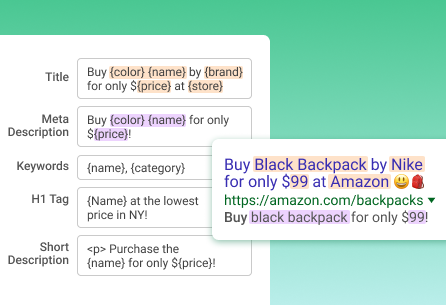
Automatically generate magento 2 tags for product, category or any other page to attract relevant traffic to your store and help your customers find the right product in the search results with Magento Yoast plugin:
- Insert emojis in meta tags
- Add meta title, meta description and H1 tag
- Specify short and full product description
- Set unique meta tags for page by URL
- Set “noindex” or “nofollow” for pages
ADD RICH SNIPPETS
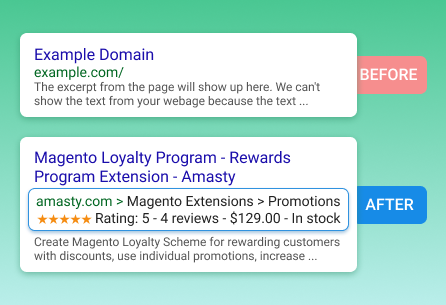
Enrich snippets to stand out from competitors and bring more customers:
- Show price and stock status
- Display rating and number of reviews
- Enable breadcrumbs to show navigation path
- Display URL, company name, and logo
- Show search input box for a Home page
- Add social profiles
USE ADVANCED PAGINATION + NEW | REDIRECTS
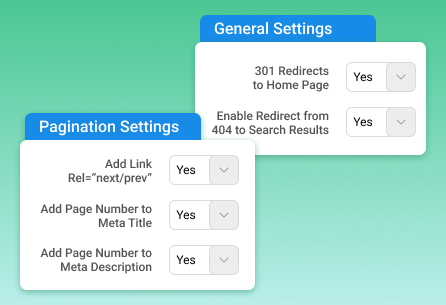
Try Advanced Pagination and Redirects to avoid broken links and improve your store indexing:
- Enable 301 Redirects to Home page
- Enable 404 Page Not Found Redirect
- Add Link Rel=”next/prev”
- Add page number to meta title
- Add page number to meta description
CONFIGURE UNIQUE PRODUCT URL
Make product links unique to avoid possible issues with duplicate content in your webstore:
- Select a category path for product URLs
- Enable redirects to canonical URLs
- Customize breadcrumbs according to URL or category
- Configure URLs length by depth level or number of characters
Find out how to change URLs with 301 redirects.
AUTOMATE CROSS LINKING
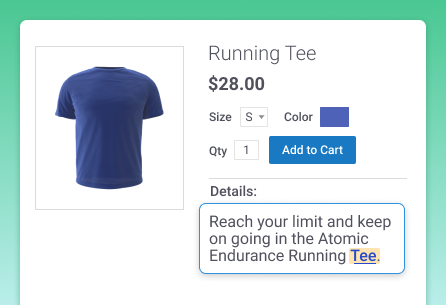
With Magento 2 SEO module, you can automatically generate internal and external links to spread link juice and attain higher ranking:
- Link to any product, category, and CMS page
- Limit the number of links per page
- Use flexible keyword specification
- Auto-replace keywords with links
Cross-linking is one of the rank factors for your SEO checklist, see for yourself.
CONFIGURE DYNAMIC HTML SITEMAP
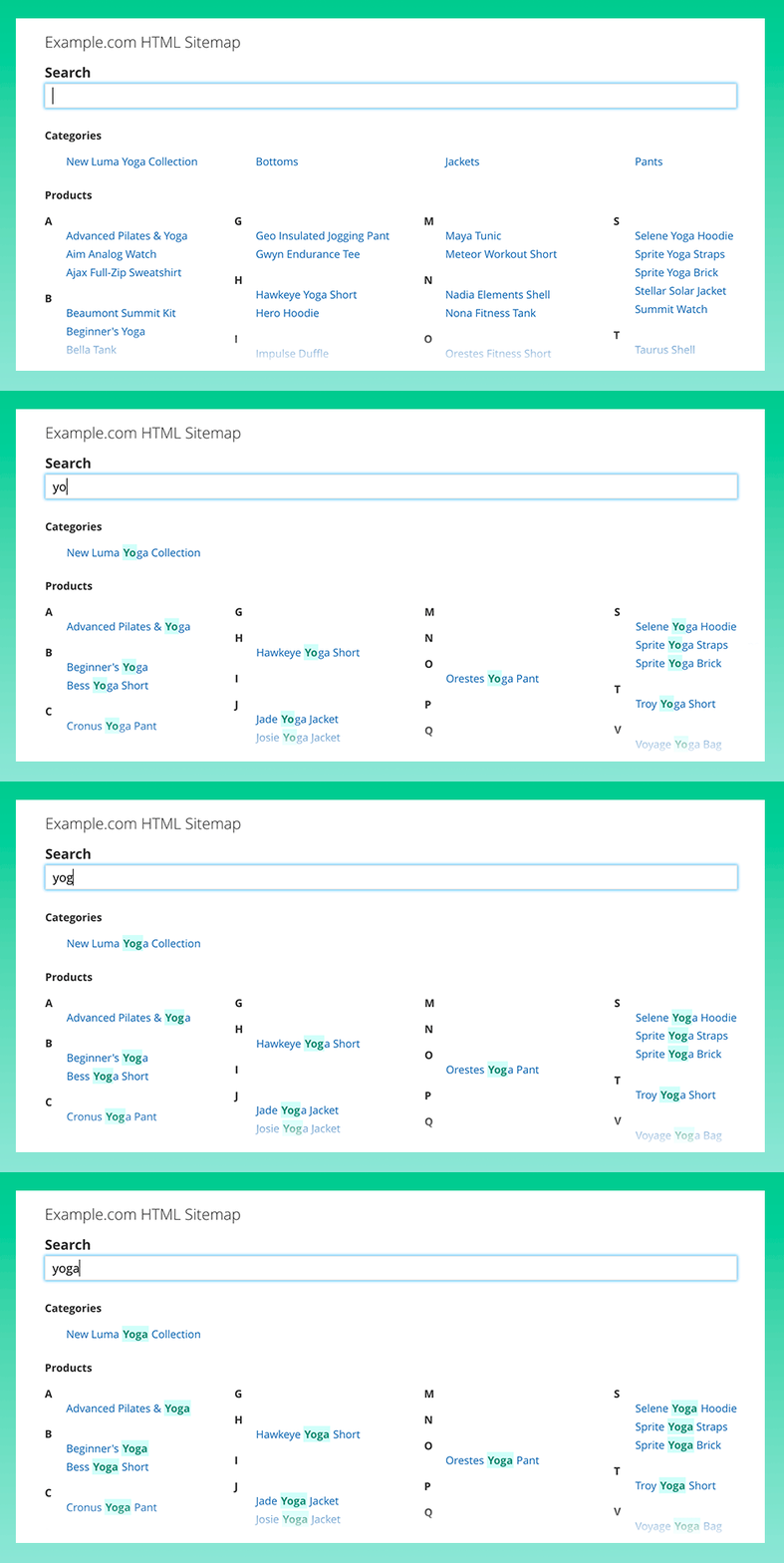
Sitemaps have a significant influence on store ratings as Google uses them for identifying the pages of a website. Moreover, sitemaps are used as compact navigation that helps customers to explore your store. Customize the layout with advanced Magento 2 Search Engine Optimization suite and add user-friendly features in HTML sitemap to help customers easily navigate your store and make it more visible for search engines:
- Add products and categories
- Add CMS-pages and additional links
- Include a search box to sitemap
- Configure a sitemap layout
- Specify metadata for a sitemap
- Set the priority of sitemap content
- Split products by the first letter
- Exclude out-of-stock products
BUILD XML GOOGLE SITEMAP
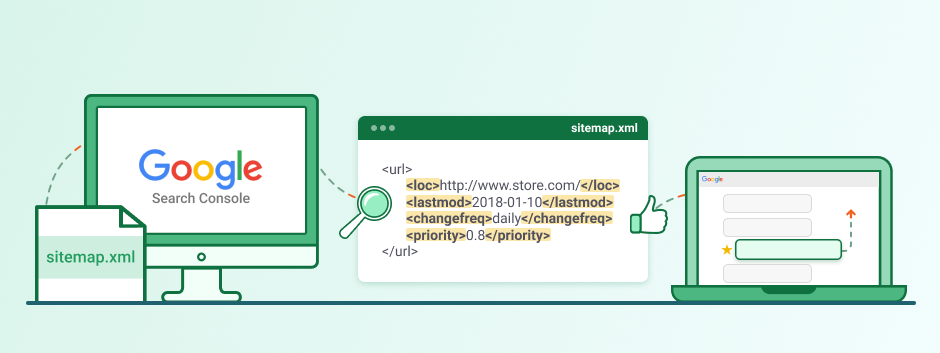
XML sitemaps gather all the info about webstore pages and collect URLs from the whole store so that Google could identify the site structure correctly. Let search engines index your content faster and improve your Magento seo optimization with automatic XML Sitemap generation! Let Google understand what your store is about and what products you sell:
- Specify frequency of updates for each group of pages
- Add images with titles and templates to sitemap
- Add or remove group of pages
- Set the priority for group of links
- Include or exclude groups of links in the sitemap
- Specify Hreflang Tag to deliver relevant content

You may also like
Page Builder
One Step Checkout